Personal
 Business
 Online shop


 English

Your full number, including the code (067, 096, 063, etc.), stays the same — your contacts won’t lose touch with you.
Unfortunately, we did not find it
Try changing your search query or select a region or town from the list

Your number remains unchanged
Your full number, including the code (067, 096, 063, etc.), stays the same — your contacts won’t lose touch with you.

No disruptions
Social networks, banks, and services will keep working — no need to re-enter passwords

The price will be fixed
The tariff cost will not change for 12 service packages from the date of connection
Contract
Prepaid


Apply on the Vodafone website or in-store.
Identification via Diia, BankID, digital signature, or an ID document in-store.

After submitting the application, you need to visit a store with your passport, sign the contract, and receive a new SIM card free of charge.
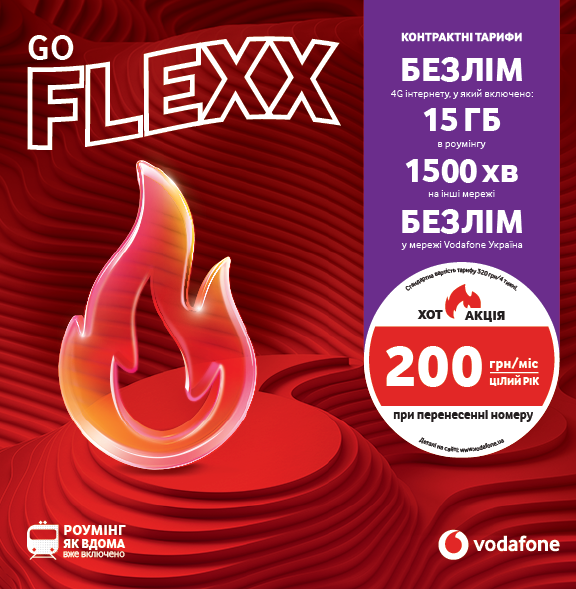
If you’re 55 or older, we’ll connect you to a discounted plan — 200 UAH/month.

Once you receive an SMS confirming the process has started, insert the SIM into your phone (or add the eSIM). Your number will be transferred automatically.
Apply on the Vodafone website or in-store for 1 UAH.
Identification via Diia, BankID, digital signature, or an ID document in-store.
Insert the new SIM card only after you receive the SMS confirming the start of the number transfer. This ensures the transfer completes correctly.
Once you receive an SMS confirming the process has started, insert the SIM into your phone (or add the eSIM). Your number will be transferred automatically.
Switch to Vodafone with your number
Get Vodafone TV as a gift until the end of the year
FAQ
Mobile Number Portability service is free.
Yes, subscribers aged 55+ at the time of application who switch to Vodafone via MNP can get a special discount on the Flexx Go contract plan — UAH 200/month for 12 months. To activate the offer, you need to submit a number porting request and sign a contract in-store. Your phone number will be fully retained.
You can apply for number transfer in several ways:
Please note: number porting is possible even while roaming, provided you can receive an SMS and a call to confirm your request. We recommend submitting the application—if all confirmations are received, the porting will be completed successfully. You will also need a new Vodafone SIM card. If your phone supports eSIM, you can order it online: https://www.vodafone.ua/shop/
Yes, it is required. You can use a Vodafone SIM card or an eSIM.
Get a SIM at an official Vodafone store when submitting your request or buy one at any retail location. Insert it only after you receive the SMS confirming the start of the number transfer.
A new SIM card is required to transfer your number to it. The old SIM card of the previous operator will be deactivated after transferring the number to another operator.
You can get a new SIM card or eSIM for number porting in several ways:
Buy a starter pack at a convenient location
Purchase an eSIM
Important
Do not insert the new SIM card into your phone immediately after purchase. Wait until you receive an SMS confirming the start of the number porting process — after that, you will be able to use the new SIM card.
Not earlier than 30 days after the last transfer.
Yes. When you become a Vodafone client then you can change your tariff to any available.
How to know if the number you’re dialing has been transferred?
If you have transferred your number to Vodafone, callers from other operators will hear a special tone—a beep—when calling you.
The beep is a short sound that informs the caller that the number is now in another network, and the call cost may differ.
If you’re calling a transferred number in another network, you will also hear the beep. However, if the call is within the Vodafone network, there won’t be a beep because the call cost remains the same.
Will there be a beep in roaming?
Can the beep be turned off?
If you don't want to hear the beep when calling transferred numbers, you can activate a free service called "Voice Notification Block for Calls to Transferred Numbers":
The beep sound is mandatory for all operators as required by the regulator.
If your current mobile operator has unreasonably refused to port your mobile number, you can file a complaint against your mobile operator with the regulatory authority, the National Commission for the State Regulation of Electronic Communications, Radio Frequency Spectrum and Provision of Postal Services.
You can file a complaint in the following way: write a letter of complaint to the e-mail of the National Commission for the State Regulation of Electronic Communications, Radio Frequency Spectrum and Provision of Postal Services - e_zvernen@nkrzi.gov.ua
Or write a letter and send it to the postal address of the National Commission for the State Regulation of Electronic Communications, Radio Frequency Spectrum and Provision of Postal Services - 3 Solomianska St., Kyiv, 03110.
Identification is the process of verifying your identity. It is required to transfer your number to Vodafone.
You can complete identification easily when submitting your application — either online or in-store:
Online:
– via BankID (your data is verified by your bank)
– via Diia (a copy of the ID card and international passport is provided)
– using a Qualified Electronic Signature (QES)
In-store:
Visit a Vodafone store with a valid identity document.
To check the status of your request to transfer your number to the Vodafone network, click the “Check request status” button.
At every stage of the number transfer to the Vodafone network, you will receive SMS notifications.
As soon as the transfer of your number begins, you will receive the following SMS message:
“We’re happy to inform you that the number transfer process has started! Insert the Vodafone SIM card into your phone. Once the transfer is complete, we will send you an SMS to your new SIM. Your Vodafone.”
After your number has been transferred to the new Vodafone SIM card, you will receive the following SMS message:
“Your number has been transferred to Vodafone. We’re glad and thank you for choosing us! Manage your number easily in the My Vodafone app. Download it via the link: my.vodafone.ua/home”.
List of devices supporting eSIM
Apple:
iPhone 11/12/13/14/15/XR/XS
iPhone 11 Pro/12 Pro/13 Pro/14 Pro/15 Pro
iPhone 11 Pro Max/12 Pro Max/13 Pro Max/14 Pro Max/15 Pro Max
iPhone 14/15 Plus
iPhone XS Max
iPhone 12 mini/13 mini
iPhone SE 2/SE 3 (2022)
iPad mini – 5, 6 generation
iPad – 7, 8, 9 generation
iPad Air – 3, 4, 5 generation
iPad Pro 11” – 1, 2, 3 generation
iPad Pro 12.9” – 3, 4, 5 generation
Google:
Pixel 3, Pixel 3 XL, Pixel 3a, Pixel 3a XL
Pixel 4, Pixel 4 XL, Pixel 4a, Pixel 5a
Pixel 5
Pixel 6, Pixel 6 Pro, Pixel 6a
Pixel 7, Pixel 7 Pro, Pixel 7a
Pixel 8, Pixel 8 Pro
Pixel Fold
Samsung:
Galaxy S24, Galaxy S24 Plus, Galaxy S24 Ultra
Galaxy S23, Galaxy S23 Plus, Galaxy S23 Ultra, Galaxy S23 FE
Galaxy S22, Galaxy S22 Plus, Galaxy S22 Ultra
Galaxy S21, Galaxy S21 Plus, Galaxy S21 Ultra
Galaxy S20, Galaxy S20 Plus, Galaxy S20 Ultra
Galaxy Note 20/Note 20 Ultra
Galaxy Fold, Galaxy Z Fold 2, Galaxy Z Fold 3, Galaxy Fold4, Galaxy Fold5 Galaxy Z Flip, Galaxy Z Flip 3, Galaxy Flip4, Galaxy Flip5
Motorola:
Razr, Razr 5G, Razr 40, Razr 40 Ultra
Edge 40 Pro, Edge 40 Neo G54
Huawei:
P40, P40 Pro
Mate 40, Mate 40 Pro
Mate Xs
Xiaomi:
12T, Pro
13, 13 Pro, 13T, 13T Pro,13 Lite
14 , 14 Pro (Global Versions)
Redmi Note 13 Pro 5G
Redmi Note 13 Pro+ 5G
Others:
Microsoft Surface
Nokia G60
You can choose a subscription or contract service plan.
How to choose a subscription tariff
After submitting your MNP request, please wait for an SMS confirming its approval and choose a convenient way to complete the porting.
1. At a Vodafone store
Purchase the MNP starter pack.
Choose a tariff plan and top up your account with the discounted amount (as shown in the Tariff Plans for You section).
Or
Choose a prepaid starter pack with the tariff plan you wish to switch to.
A Vodafone store specialist will help you complete the MNP based on your request.
2. Self-service
Purchase a starter pack with a tariff plan at any sales outlet.
Important: Do not insert the Vodafone SIM card into your phone before the MNP begins. Please follow the instructions sent by SMS.
Add the number from the purchased starter pack to your MNP request:
on the application status page (check the Vodafone Ukraine request status), or
by calling 0 800 400 400 from the number, you are porting (toll-free within Ukraine).
After the MNP is completed and the new SIM card is activated, the discount for your selected tariff plan will be applied in accordance with the terms stated on the website.
How to choose a contract tariff plan
Activation of the contract tariff plan is available only at a Vodafone store.
You can review the tariff plans when submitting your request on the website in the Tariff Plans for You section or directly in a Vodafone store.
After receiving the SMS confirming your MNP approval, please visit a Vodafone store.
To sign the contract, you will need the original passport, ID card, or a digital ID card in the Diia app.
Before transferring your number, we recommend contacting your current operator to clarify the procedure for refunding the remaining balance.
If you are using a prepaid plan and your number was not registered, you may need to complete an identification process to receive a refund.
Changing the operator does not affect the provision of services linked to your number (bank cards, loyalty cards, identification and authorization on websites, in the email client, messengers, etc.)
After transferring your number to the Vodafone network, you need to choose a Vodafone operator and enter your current number to pay for communication services via terminals, websites, and mobile applications.
When you call a number that has been ported to another network, Vodafone will inform you that the number has been ported.
Vodafone customers can disable this notification by using the USSD combination:
*181*3# - disable voice notification during calls to numbers ported to any mobile operator in Ukraine.
Vodafone customers can also check which network the other party's number belongs to by using the USSD combination: *181*phone number# (the phone number must be in the format 380XX1234567).
The tariffs apply on the territory of Ukraine if the mobile operator’s network is covered, except for the territory where the state authorities temporarily do not exercise their powers or do not exercise them in full.
Discounted Tariff Plans for PrP Customers mean the possibility to use a tariff plan at a special price for 12 service packages, depending on the tariff plan for PrP customers who port to the Vodafone network using the Mobile Number Porting Service.
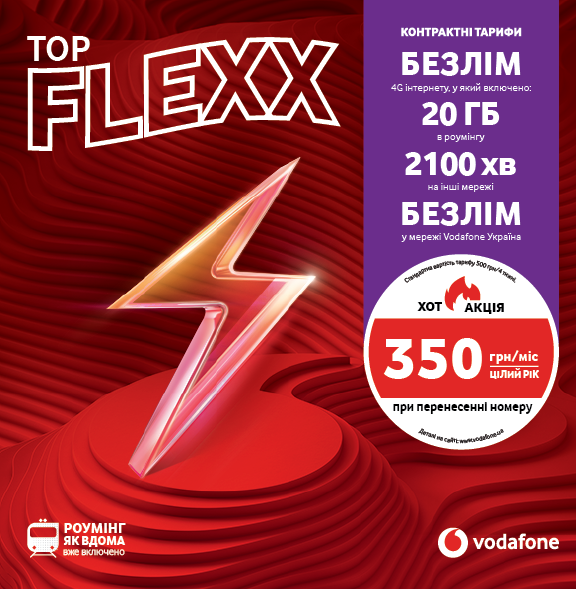
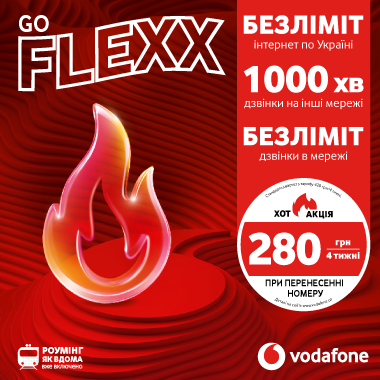
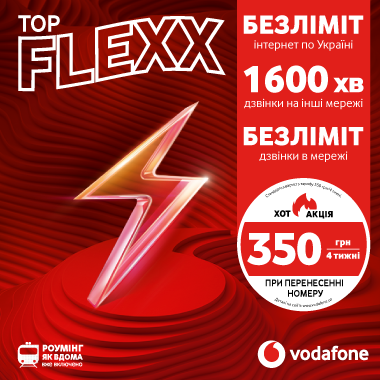
From 14.01.2026, for prepaid customers who purchase a starter package and port their number to the Vodafone network to the FLEXX GO tariff, starting from the 2nd service package and the next 10 service packages are provided at 280 UAH/4 weeks (from the 13th package the cost will be 420 UAH/4 weeks). For prepaid customers who port their number to the Vodafone network to the FLEXX TOP tariff, the cost of 350 UAH/4 weeks will apply for the first 12 service packages. Starting from the 13th service package, the standard cost for 4 weeks (550 UAH/4 weeks) will apply.
The cost of calls is indicated for the first second of each minute of the call, which includes each subsequent second of the specified minute within the call. The cost is charged in the first second of each minute of the call.
The tariffs are quoted in UAH, including VAT and the Pension Fund tax, which is 7.5% of the service cost excluding VAT, as of 17.03.2025.
The minimum term of the tariff plan is 28 days from the date of its introduction.
For more detailed information on the tariff plans, promotions, cost and terms of service, please use My Vodafone or call
111 - free of charge from a Vodafone Ukraine mobile number in Ukraine;
0800 400 111 - for subscribers of other Ukrainian mobile operators (free of charge from any number in Ukraine).
PrJSC “VF Ukraine”, 15 Leiptsyzka St., Kyiv, 01601, is included in the Register of Electronic Communication Network and Service Providers.